Rent a Rust Server in Vietnam | Experience the Ultimate Rust Gameplay

1. Advantages of Renting a Rust Server at VinaHost

Choosing to rent a Rust server from VinaHost offers many outstanding benefits, especially suitable for individuals, groups of gamers, or communities wanting to build their own stable server:
  • High Performance & Stability: Utilizing Gold CPUs and NVMe drives, 99.9% uptime, smooth performance even with a large number of players.
  • Full Administration: Supports Admin Commands, RCON, Carbon/Oxide plugins, Auto-Wipe, Custom Maps, and Rust+.

  • Automatic Operation & Updates: Schedule Start/Stop/Restart, automatic version updates, continuous and uninterrupted operation.
  • 24/7 Technical Support: The VinaHost team is always ready to handle issues and provide setup support.
  • Stable Connection: Maintains a smooth connection even with many players simultaneously.

  • Easily customizable & expandable: Supports Staging Branch, App Rust+, and mods to personalize your server experience.

2. Instructions on how to register and connect a Rust VPS Server at VinaHost

2.1. How to register a Rust VPS Server

  • Choose a VPS package that meets your needs (CPU, RAM, NVMe storage, number of players, etc.) and click Order.
  • After reviewing the information, select Continue to proceed to the next step.
  • Confirm the order and proceed with payment.
  • Choose a suitable payment method.
  • If you have no specific requirements, choose Invoice with personal information and make the payment.
  • Review the invoice, then follow the instructions to complete the payment (you can change the payment method at this step if needed).
  • If the service is not activated after payment or an error occurs during the payment process, please email billing@vinahost.vn for quick support.

2.2. How to connect to a Rust VPS Server

  • After completing the payment, check your email to receive access information.
  • Once you successfully log in, the server is activated and running. Click to view details
huong dan ket noi vao vps rust
View details
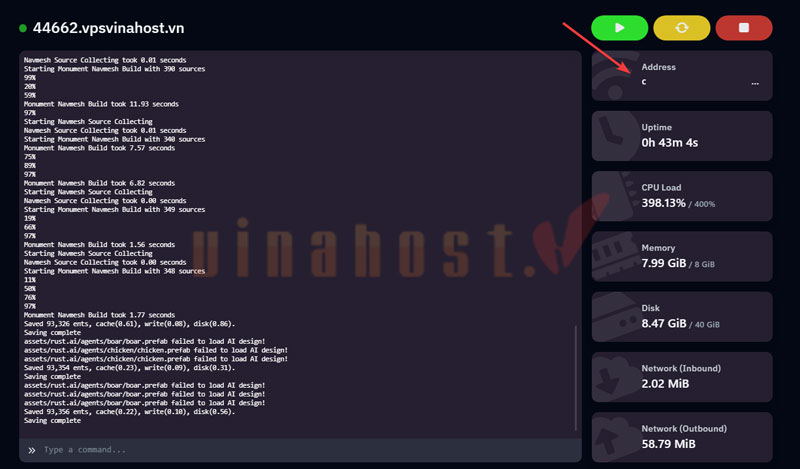
  • Select the Address field to copy the server address.
huong dan ket noi vao vps rust
Copy server address
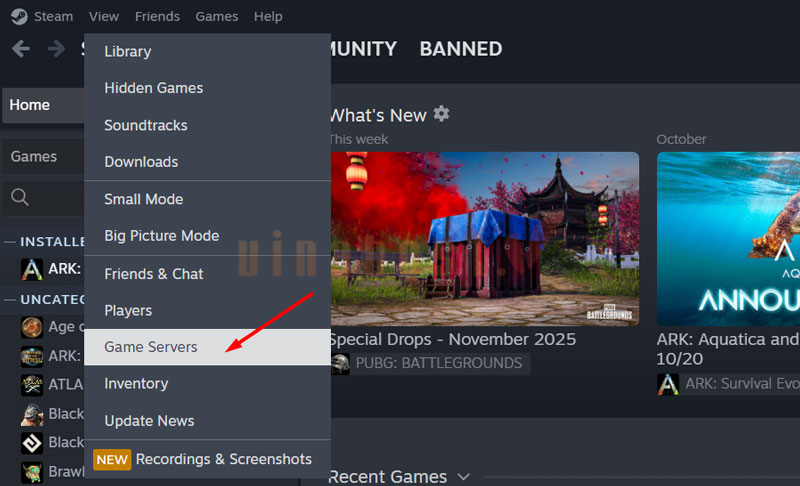
  • Open Steam → go to Game Servers.
huong dan ket noi vao vps rust
Go to Game Servers
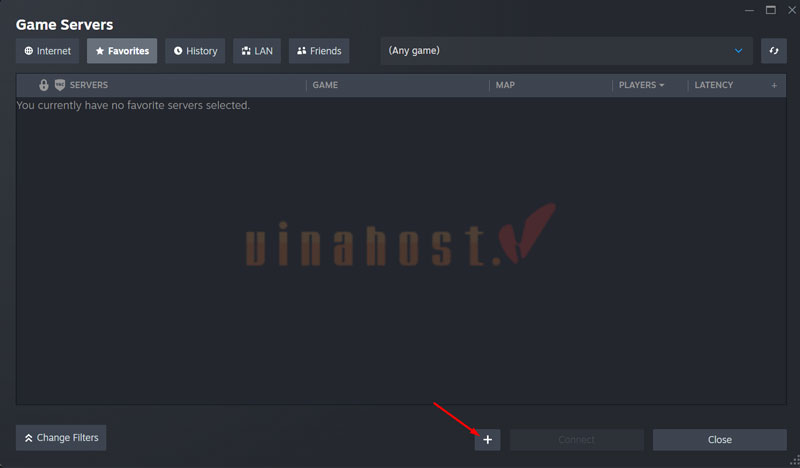
  • Switch to the Favorites tab, click the + sign and paste the copied address.
huong dan ket noi vao vps rust
Paste the copied address
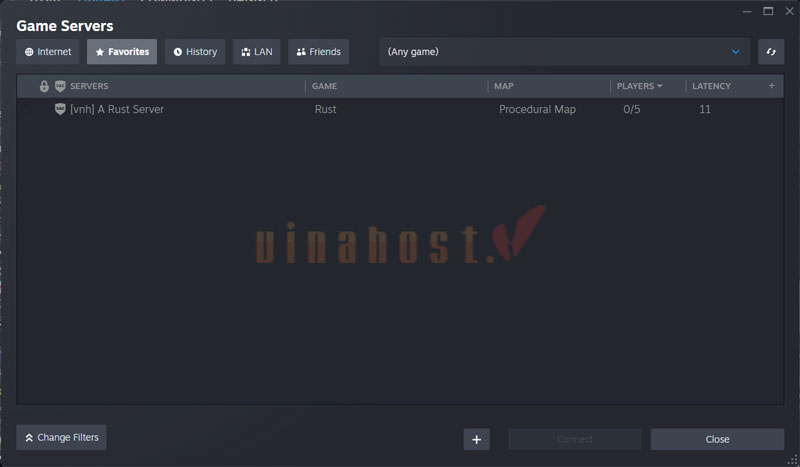
  • The server will appear in the Favorites list.
huong dan ket noi vao vps rust
Server in the Favorites list
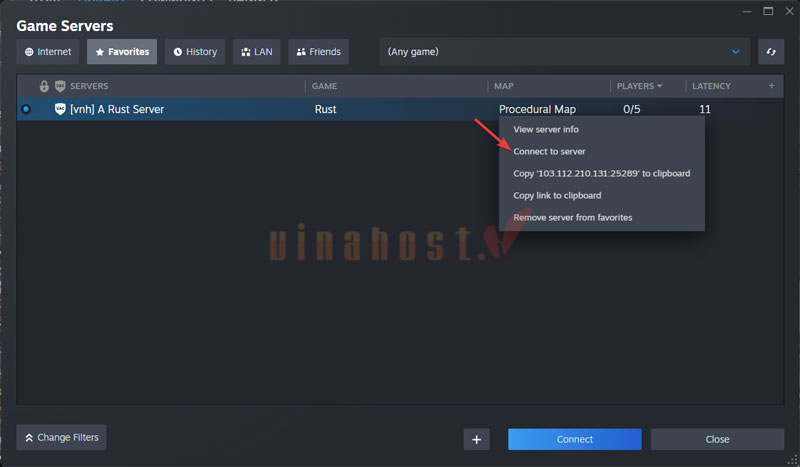
  • Right-click on the server and select Connect to server to start the connection.
huong dan ket noi vao vps rust
Select Connect to server
  • Wait for the game to launch and complete the connection process to the server.
With VinaHost’s Rust VPS Hosting service, you’ll have a high-performance, stable server with ongoing support from our experienced technical team. Whether you’re playing individually or building a large Rust community, VinaHost guarantees an optimal hosting environment, fast processing speeds, and high security. Create your own Rust server today and get ready to conquer the challenging survival world with VinaHost!
For support, please feel free to contact us: