Rent a Valheim Server in Vietnam | Smooth & Reliable Valheim Hosting

1. Why Choose VinaHost for Your Valheim Server?

VinaHost provides a reliable and high-performance hosting environment for individuals, groups of friends, and gaming communities looking to run their own Valheim server.

Key benefits include:

  • High-performance Intel® Xeon® Gold CPUs and NVMe SSD storage.
  • Stable 24/7 server operation with low latency.
  • Crossplay support across compatible platforms.
  • Easy mod installation and management.
  • Full administrative control over your server.
  • Convenient management through Pterodactyl Panel.
  • Free server migration assistance from other hosting providers.
  • 24/7 technical support from experienced engineers.
  • Flexible hardware upgrades as your community grows.
  • 7-day trial and a 5-day money-back guarantee.
  • Enterprise-grade infrastructure hosted in VNPT and Viettel IDC data centers for reliable connectivity.

2. How to Order and Connect to Your Valheim VPS at VinaHost

Setting up your Valheim VPS at VinaHost is quick and straightforward, taking only a few minutes to complete.

2.1 How to Order a Valheim VPS

  • Select the VPS plan that best fits your requirements and click Order.
  • Review your order details and click Continue.
  • Confirm your order and proceed to payment.
  • Choose your preferred payment method.
  • If you do not require a business invoice, select Personal Invoice and complete your payment.

If your service is not activated after payment or you experience any payment issues, please contact billing@vinahost.vn for assistance.

2.2 How to Connect to Your Valheim Server

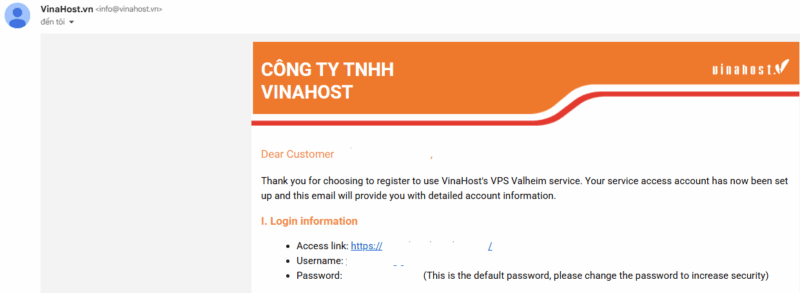
  • After your payment is confirmed, check your email for your server login credentials.
VPS Valheim
Check your email for your server login credentials
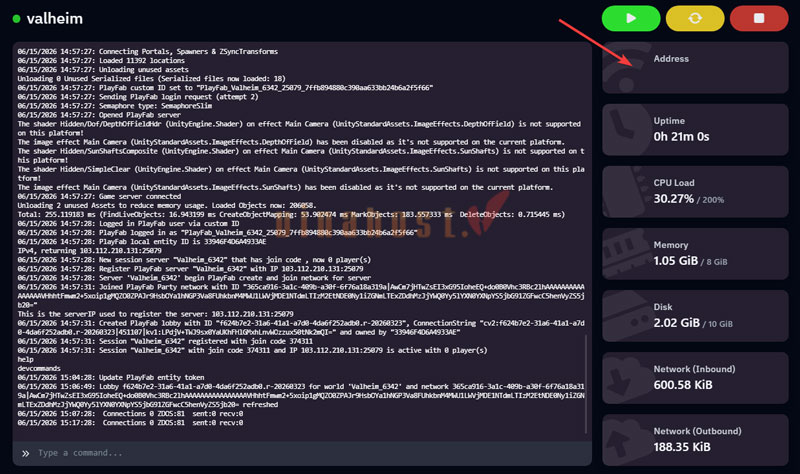
  • Log in to the Pterodactyl control panel. Once your server status displays Online, click the server to open its management page.
VPS Valheim
Click the server to open its management page
  • Copy the server address from the Address field.
VPS Valheim
Copy the server address
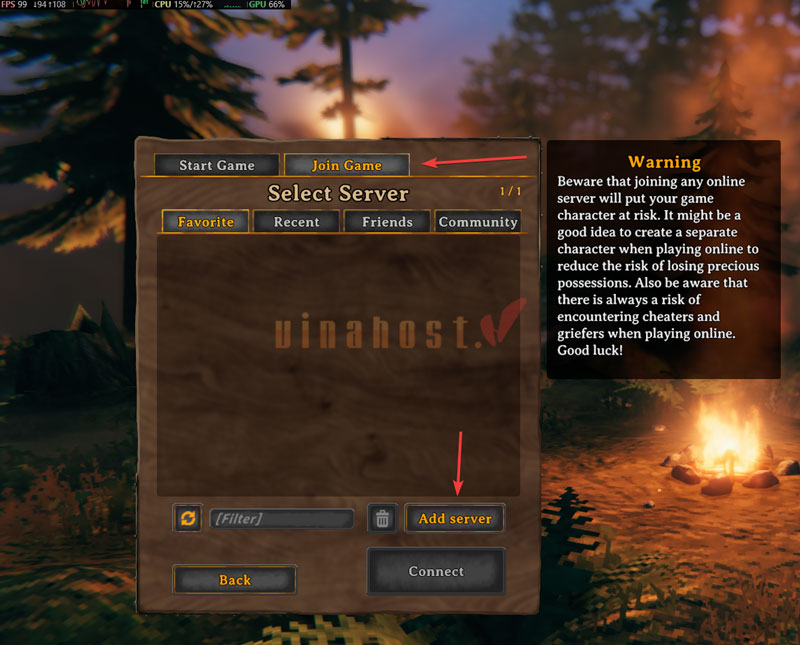
  • Launch Valheim and navigate to Join Game → Add Server.
VPS Valheim
Join Game
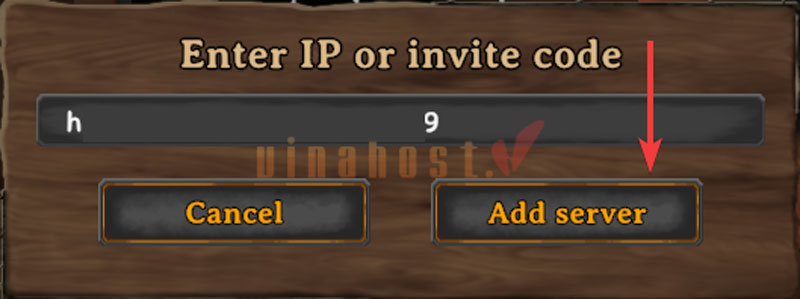
  • Paste the copied server address into the appropriate field and click Add Server.
VPS Valheim
Add Server
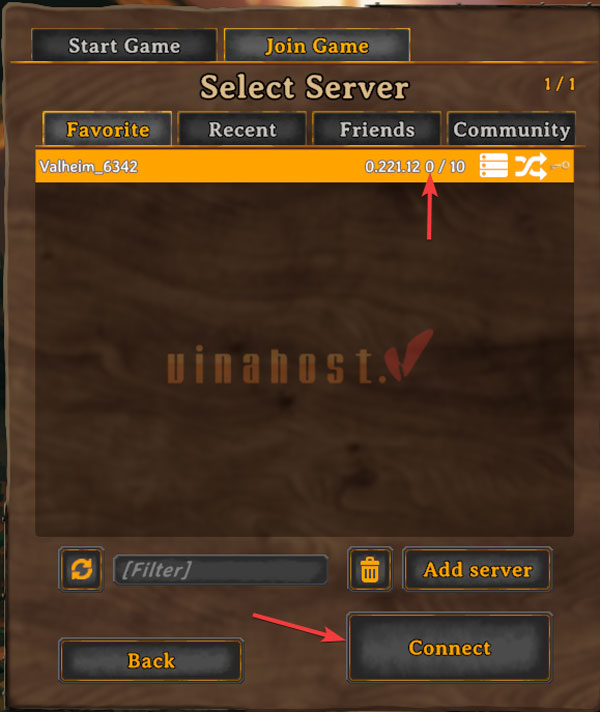
  • Once the server appears in your Favorites list, select it and click Connect.
VPS Valheim
Click Connect
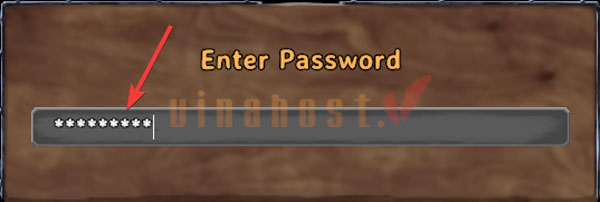
  • Enter the server password if prompted.
VPS Valheim
Enter the server password
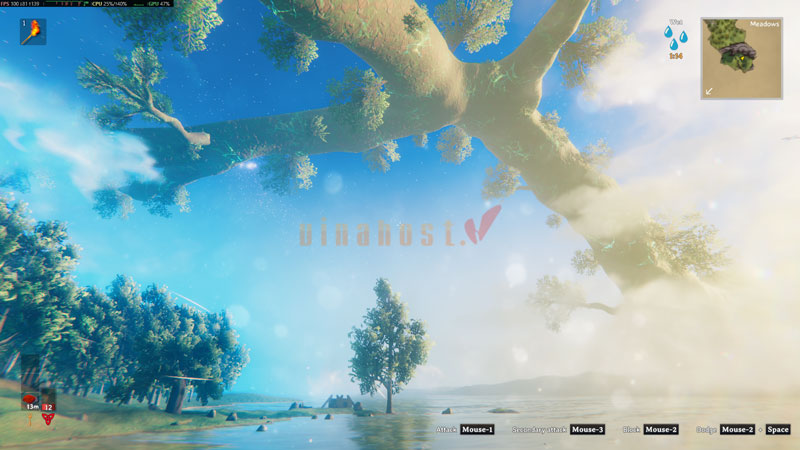
  • Wait a few moments while the game establishes the connection. Once connected, you’re ready to begin your Viking adventure.
VPS Valheim
Valheim Game Interface After a Successful Connection

With VinaHost’s Valheim VPS hosting, you get a powerful dedicated game server optimized for stable 24/7 operation and smooth multiplayer gameplay. Whether you’re playing with a small group of friends or building a large public community, our infrastructure delivers outstanding performance, reliable connectivity, and professional technical support whenever you need it.

Create your own Valheim server today and start exploring, building, and conquering the Viking world with VinaHost.

For support, please feel free to contact us: